 On-device · iOS · Gemma 4
Scam detection that never leaves your phone.
GemScan checks suspicious messages, links, and screenshots for scams in seconds. Every model runs locally on your iPhone — nothing is uploaded, nothing is logged.
On-device · iOS · Gemma 4
GemScan checks suspicious messages, links, and screenshots for scams in seconds. Every model runs locally on your iPhone — nothing is uploaded, nothing is logged.
The people most targeted by scams are the ones today's defences fail. We built something different.
In 2023, a mother in Arizona answered her phone and heard her daughter screaming. The voice was indistinguishable — a three-second clip scraped from social media was all it took to clone it.
The daughter was safe at home.
That same year, the FBI logged $16.6 B in US fraud losses, up 33% year over year. Elders accounted for $4.9 B. Cloud-based filters ship your private conversations to a server to find these scams. GemScan was built on a simpler bet: the people most at risk deserve protection that runs on the phone they already own.
FBI IC3 annual reports, in billions of USD
Five things you can do in the app today. Every one runs locally.
Paste a message or URL, tap Check this. Get a verdict, confidence, and the reasons behind it.
Pick a screenshot. Apple Vision pulls the text out, then the scam classifier runs on it.
From Messages, Mail, or Safari — tap Share → GemScan to send any text, link, or image straight into the analyser.
Every check is saved on-device with month-to-date and year-to-date totals. Tap any row to revisit it.
A browsable guide to the eight most common scam patterns — phishing, sextortion, romance, investment, imposter, employment, shopping, malware.
Watch the 90-second tour below, then follow along on your own simulator using the strings in each step.
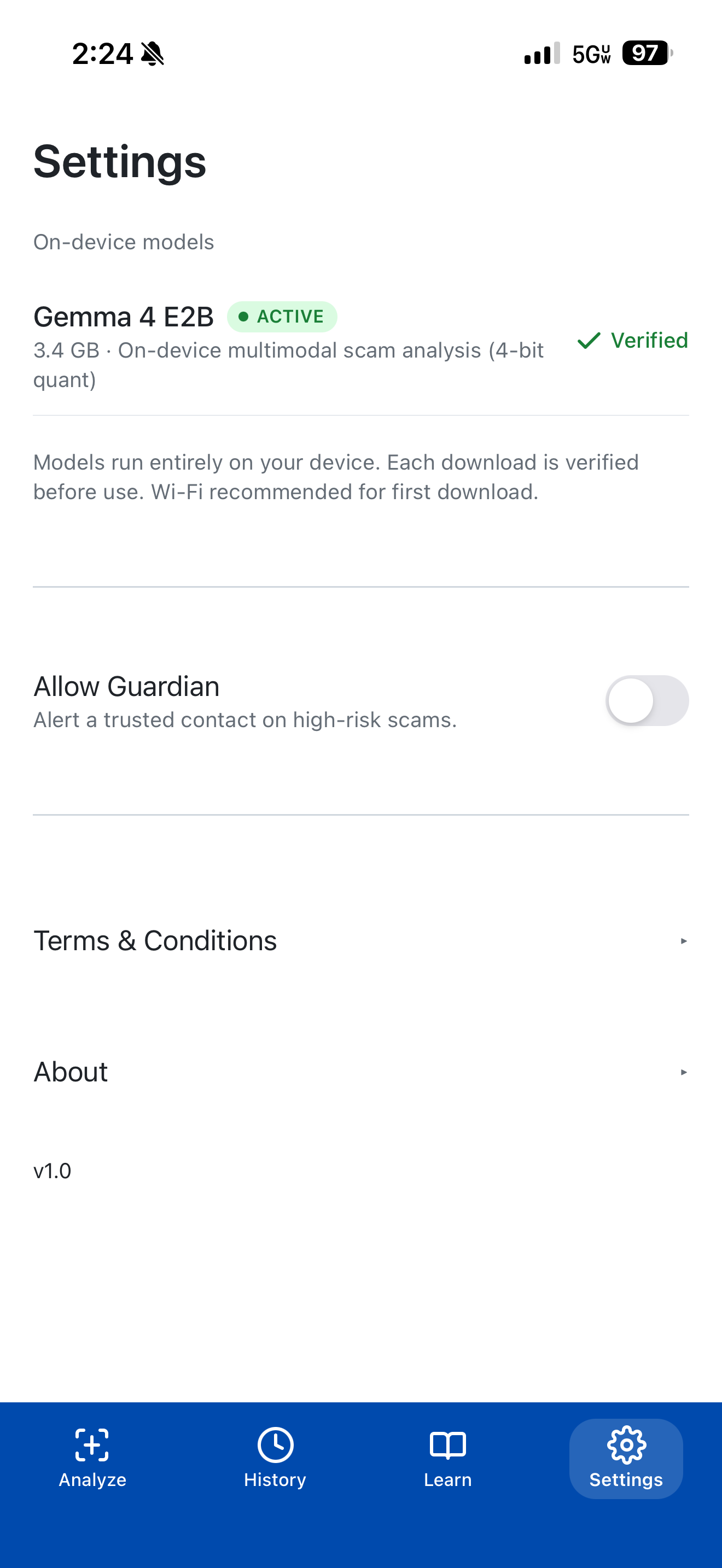
Open the Settings tab and tap Download model — about 5 minutes on Wi-Fi to pull the Gemma 4 E2B weights (~2 GB). The weights live on the phone from then on; every subsequent launch is instant.
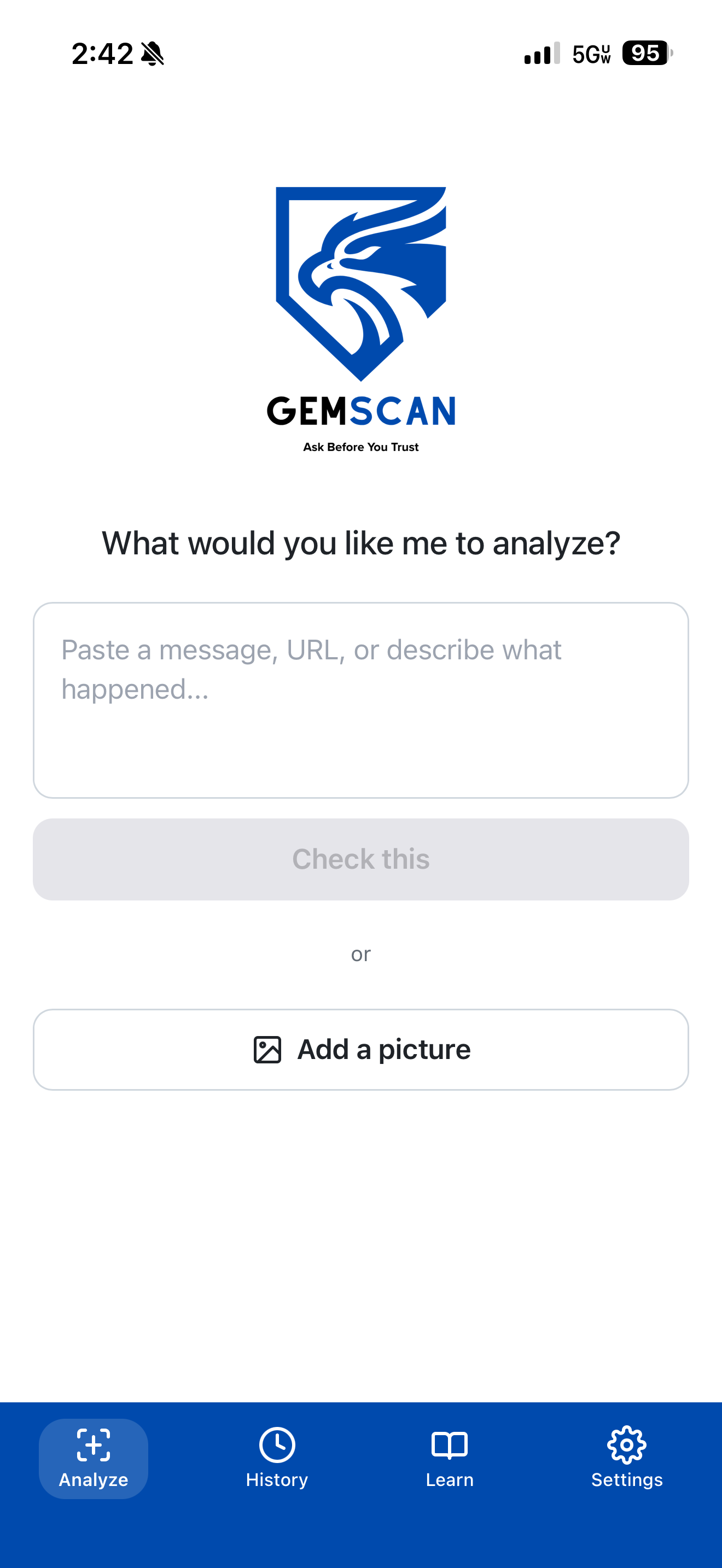
From the home screen, paste a suspicious message into the input area or pick a screenshot from your library. Everything kicks off from one place.
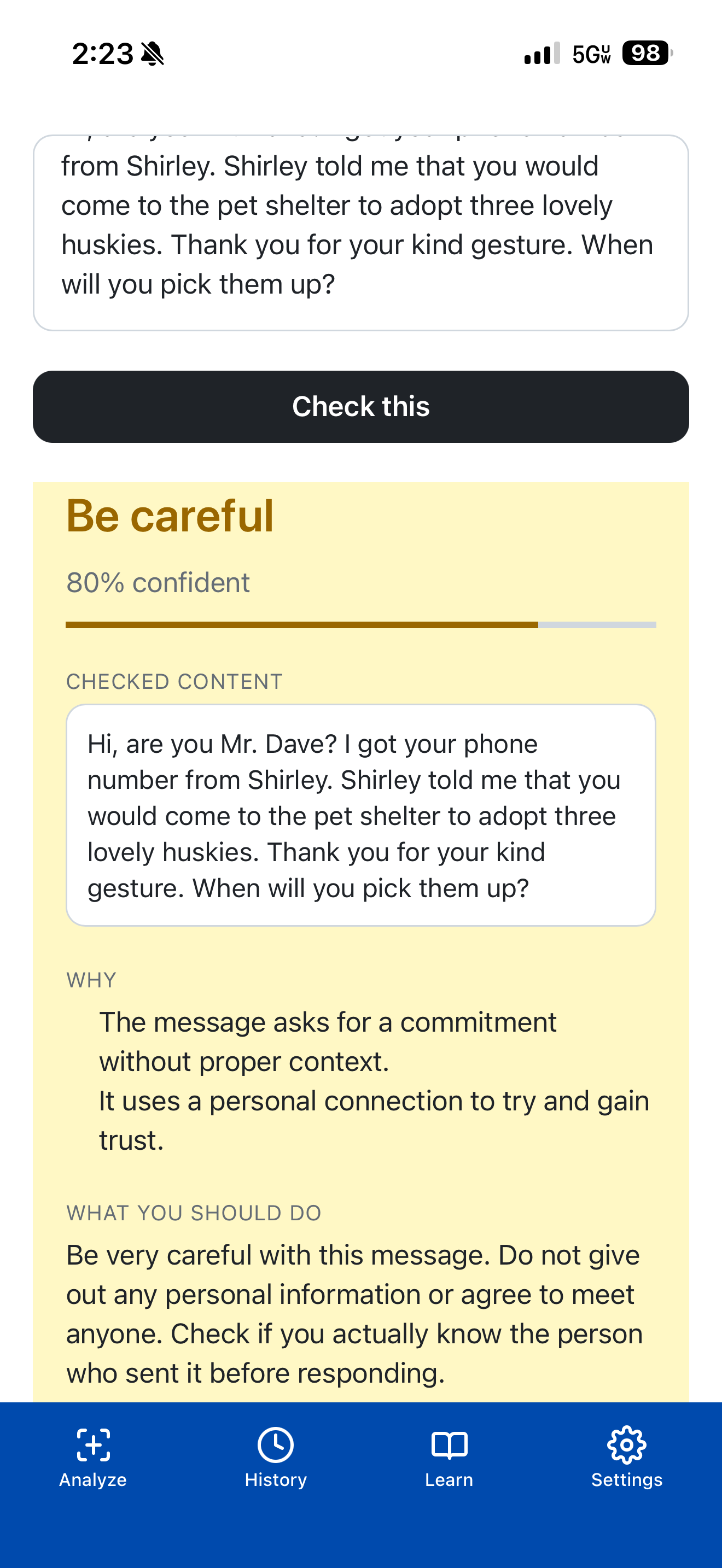
Type or paste any message into the input area and tap Check this. GemScan returns a verdict in seconds with reasoning you can read out loud.
Your package could not be delivered. Confirm address: usps-redelivery.shop/track
Two ways to get an image into GemScan. From inside the app, tap Add a picture and pick a screenshot of a suspicious text from your library. Apple Vision OCR extracts the text, then the same scam classifier runs on it. The image itself is never uploaded.
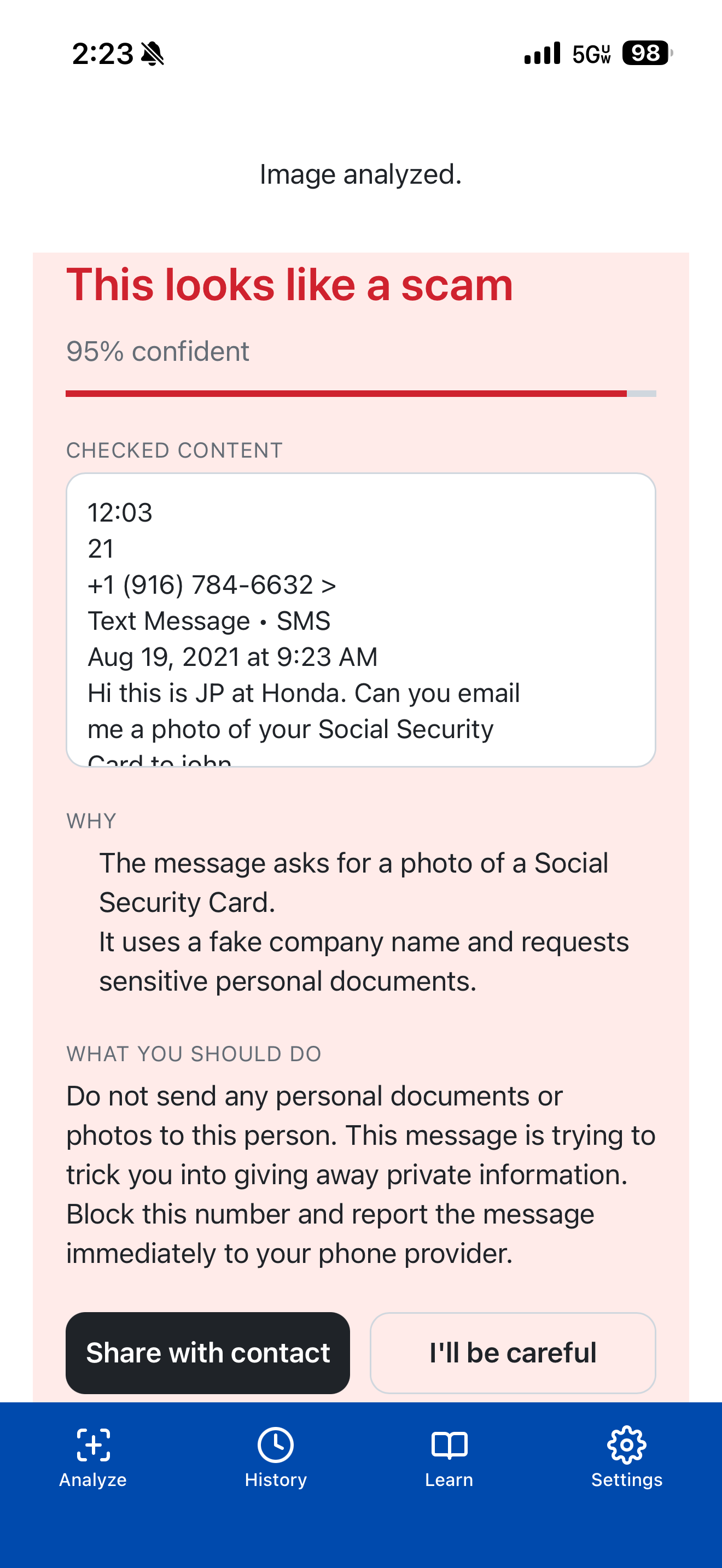
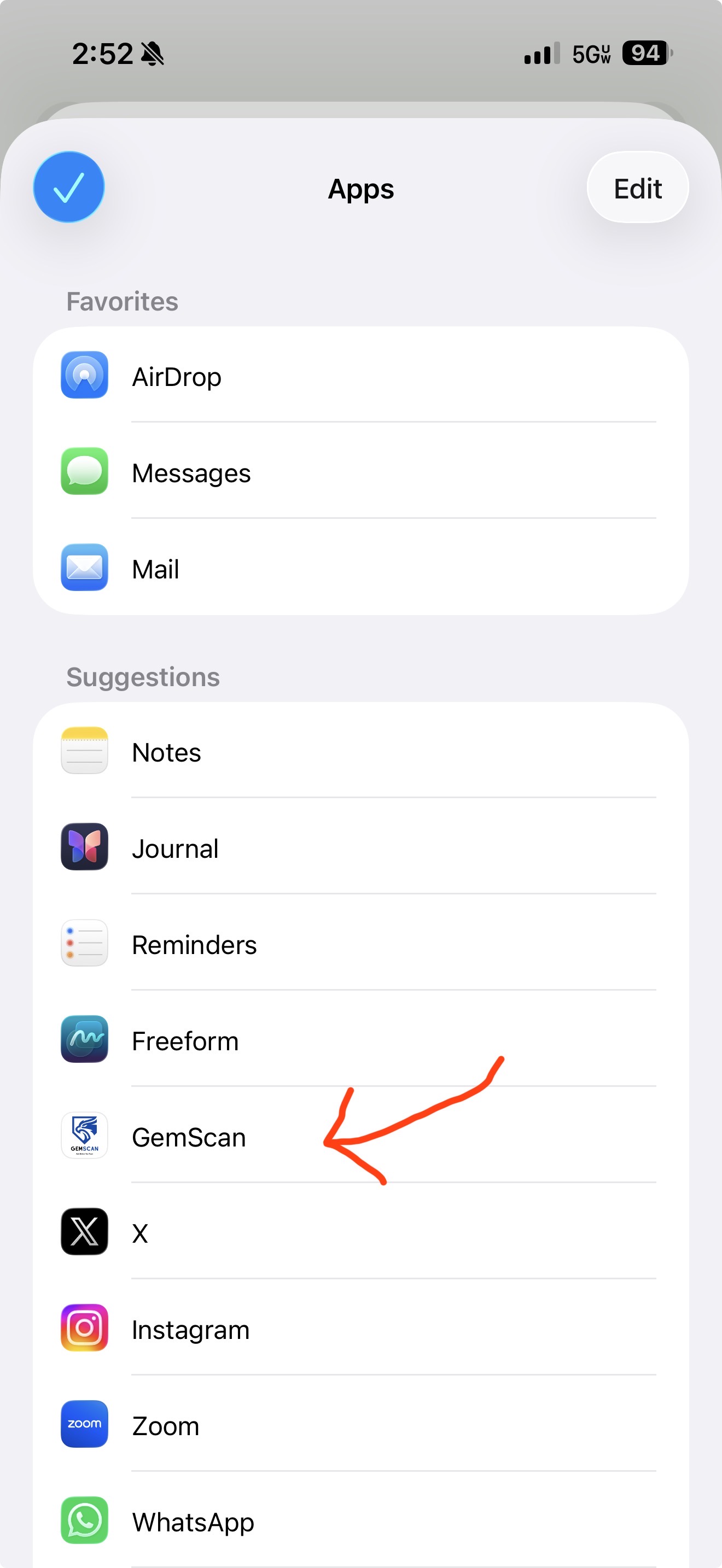
Already looking at a suspicious screenshot in the Photos app? Tap the system Share button and pick GemScan. The Share Extension hands the image to the main app, runs OCR, and analyses the extracted text automatically — no copy-paste, no switching back and forth.
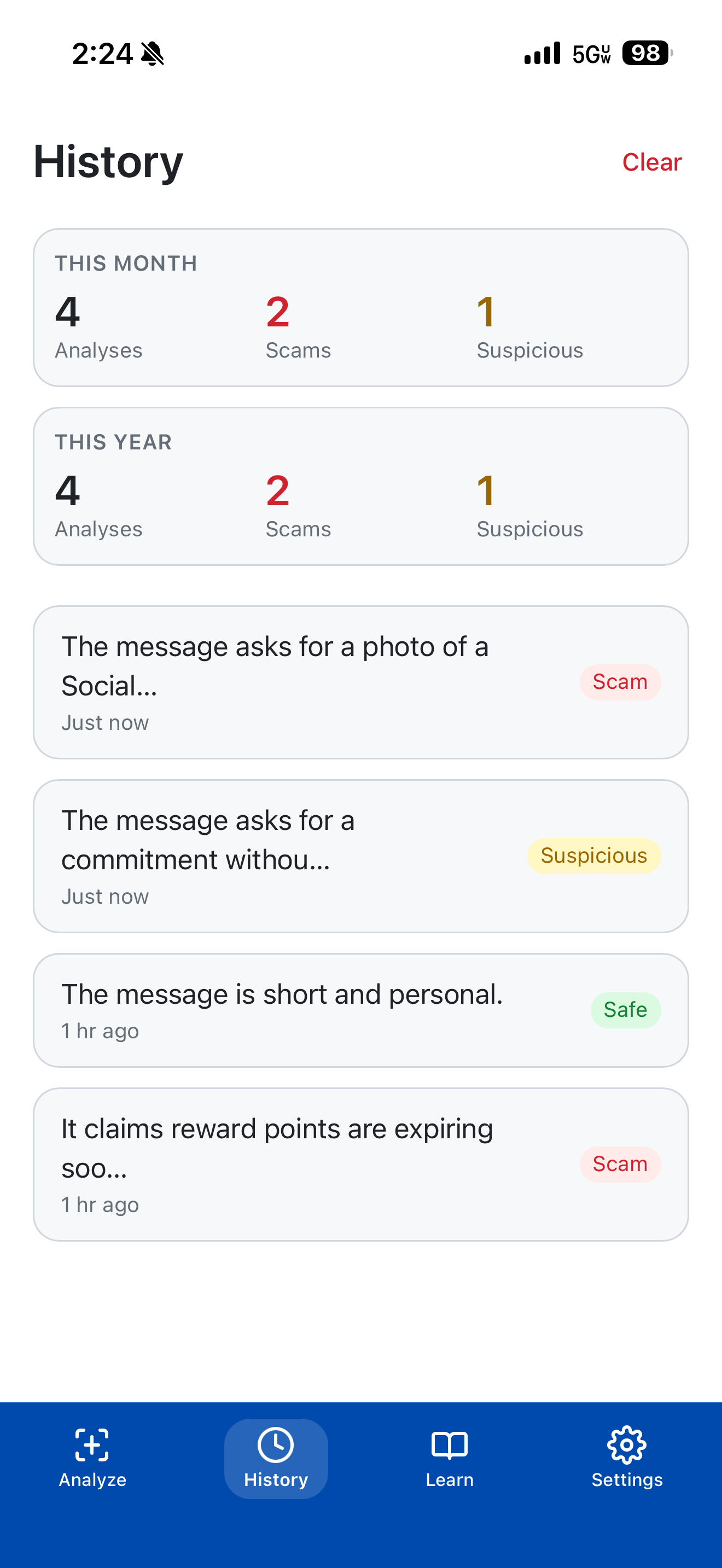
The History tab tracks everything you've checked, with month-to-date and year-to-date counts of analyses, scams, and suspicious items. Tap any past check to view the full verdict again. All on-device.
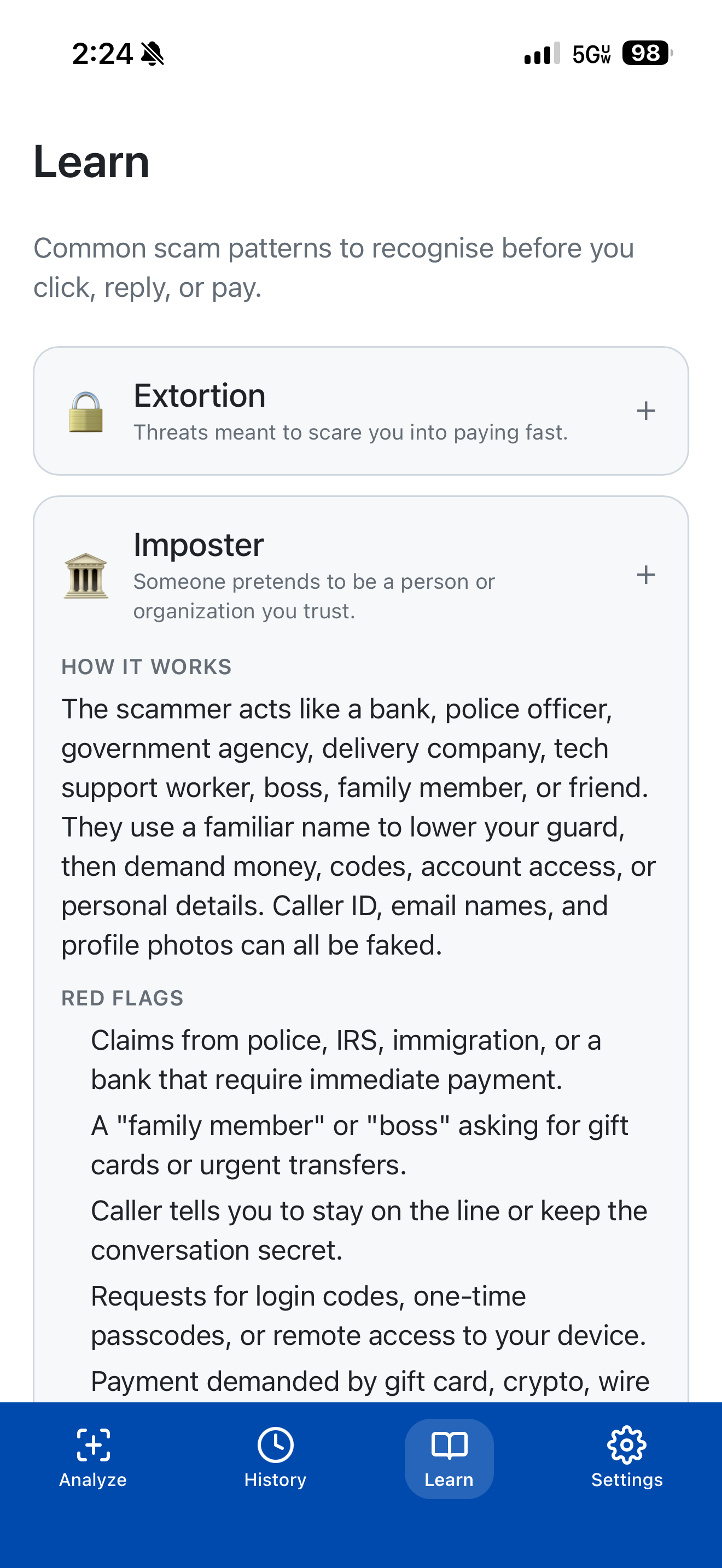
The Learn tab is a browsable guide to the eight most common scam patterns — phishing, sextortion, romance, investment, imposter, employment, shopping, malware — each with red flags, how-it-works, and what to do.
One on-device pipeline. A Swift orchestrator picks the right specialist, runs Gemma 4 E2B through Apple's MLX framework, and renders the structured verdict in the WebView UI.
%%{init: {'theme':'base','themeVariables':{'primaryColor':'#ffffff','primaryBorderColor':'#d8d4c8','primaryTextColor':'#0e1626','lineColor':'#4a5468','fontFamily':'Inter, system-ui, sans-serif','fontSize':'14px'}}}%%
flowchart LR
  UI["Text / URL / Image\npaste · pick · share"]
  CAP["Capacitor 6\nTS ⇄ Swift"]
  ORCH["OrchestratorAgent\npicks specialist"]:::accent
  TA["TextAgent"]
  UA["URLAgent"]
  IA["ImageAgent"]
  OCR["Apple Vision OCR"]
  MODEL["Gemma 4 E2B Instruct\n4-bit · MLX-Swift on Apple Silicon GPU\ngrammar-constrained sampling"]:::model
  V["Verdict\nsafe · suspicious · scam\n+ confidence and reasoning"]

  UI --> CAP --> ORCH
  ORCH --> TA & UA & IA
  IA --> OCR
  TA --> MODEL
  UA --> MODEL
  OCR --> MODEL
  MODEL --> V

  classDef accent fill:#e8efff,stroke:#004aad,color:#0e1626,stroke-width:1.5px;
  classDef model fill:#dbe6f9,stroke:#003782,color:#0e1626,stroke-width:2.5px;
Privacy boundaryNo network calls during analysis · weights cached on-device after one-time download · history stored only in localStorage
What it costs to run GemScan on the device, and what you get back.
Typical end-to-end latency on iPhone 15 Pro, short SMS prompt
Numbers are typical for an iPhone 15 Pro running the default E2B configuration; replace with your own measurements before judging.
Two paths: a web mock that runs in your browser, or the real iOS app.
The Next.js UI runs against a deterministic mock plugin. Every screen and every flow is reachable.
git clone https://github.com/GemScan/GemScan
cd GemScan && npm install
npm run dev
# open http://localhost:3000Requires Xcode 15.3+ and an Apple Developer account (free is fine). On first launch, open Settings → Download model to pull the Gemma 4 E2B weights (~2 GB from Hugging Face, <5 min on Wi-Fi). They're cached on-device after that.
npm install
npm run build
npx cap sync ios
npx cap open ios
# in Xcode: pick a device, ⌘RBuilt by a small group set on putting on-device scam protection in everyone's pocket.
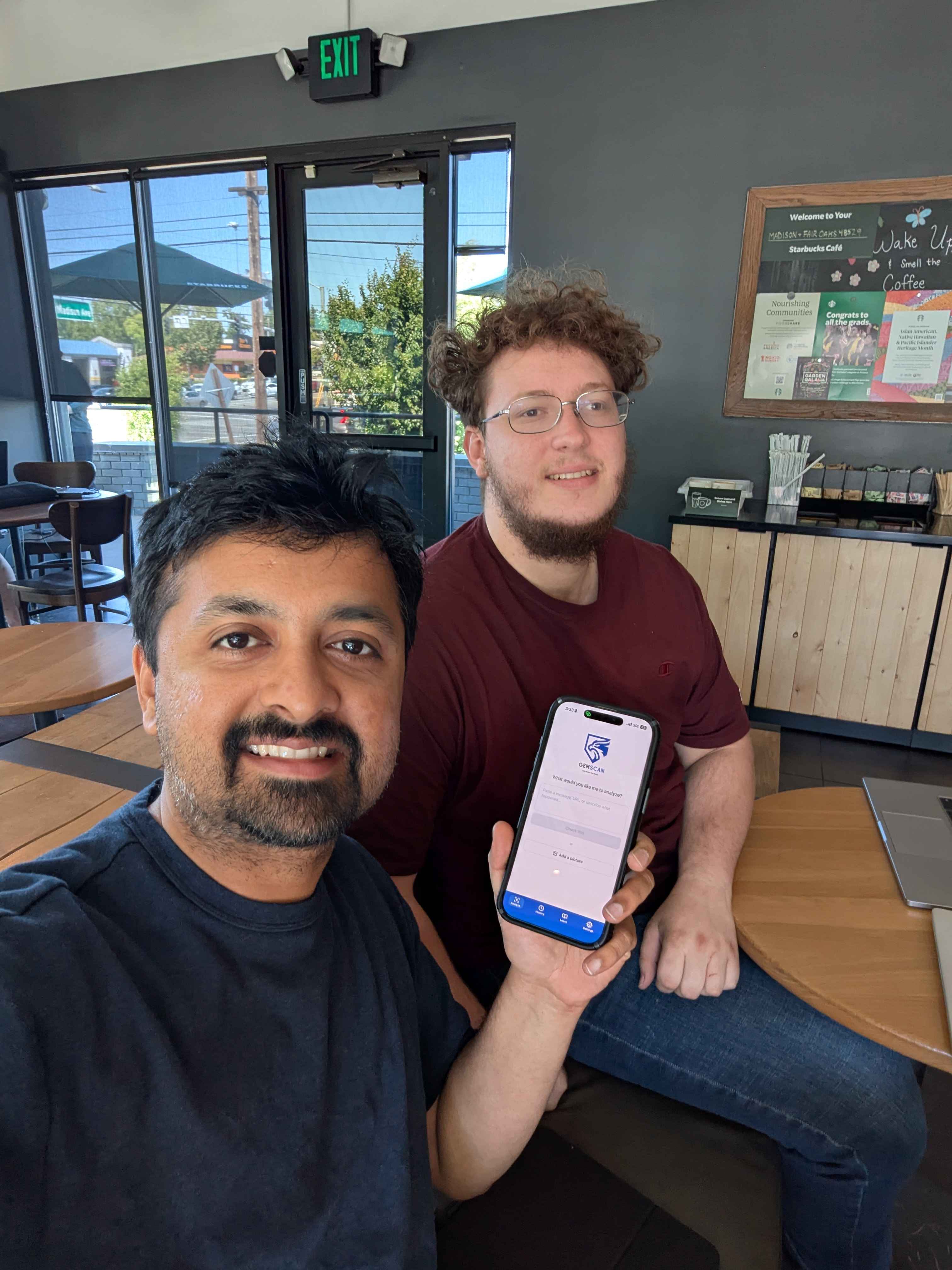
Shashank (left) and Scott (right), the GemScan team!
Plain English. Last updated 18 May 2026.
GemScan analyses everything you check entirely on your iPhone. The content you analyse — messages, links, screenshots, voice clips — is never uploaded, never stored on a server, and never used to train any model. There are no accounts, no analytics, no advertising SDKs, and no third-party trackers.
GemScan is an independent open-source project by two students, Shashank and Scott.
Nothing leaves your device. All scam analysis — text, URL pattern checks, OCR on images, voice-clip features — runs locally on your iPhone using Gemma 4 model weights cached on the device and Apple's on-device Vision and Speech frameworks. We do not operate any server that receives content you analyse.
Library/Caches/huggingface/hub/. Removed if you uninstall the app.iOS prompts you the first time each is needed. You can revoke any of them later in System Settings → GemScan. None of them transmit data off the device.
huggingface.co is subject to their privacy policy. They receive only the standard request metadata (IP address, user-agent) needed to serve the download.The app contains scam-education content (including references to financial, romance, and sextortion scams) that is generally appropriate for users aged 13 and up. We do not knowingly collect any personal information from anyone, including children — because we collect no personal information at all.
Because we collect, store, and process nothing off your device, there is no account to delete, no profile to export, and no third party to revoke. To fully erase everything GemScan stores, uninstall the app from your iPhone (Settings → General → iPhone Storage → GemScan → Delete App). If you have any privacy question or request regardless, please raise an issue on our public GitHub repo.
Model weights are downloaded over HTTPS. App Transport Security is enabled with arbitrary loads disabled (no plain-HTTP traffic). The app sandbox isolates the cached model and history from other apps on your device.
If the policy changes, the updated version will appear at this URL with a new "Last updated" date. Material changes will additionally be surfaced in the app on next launch.